API Access & Info
The API Access feature in the Cloud Management Portal enables users to integrate their cloud environment with third-party systems or custom automation workflows using RESTful APIs. Users can generate secure access tokens and keys to interact with cloud resources such as VMs, storage, and network components without relying on the web UI.
This section outlines the steps to request API access, view API credentials, and securely manage your access tokens.
Accessing API Settings
-
Log in to your Cloud Management Portal.
-
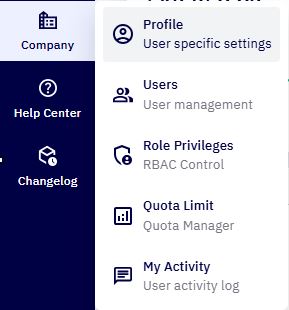
Navigate to Company > Profile from the main menu.
-
In the left sidebar, click on API Info to view your API credentials.
-
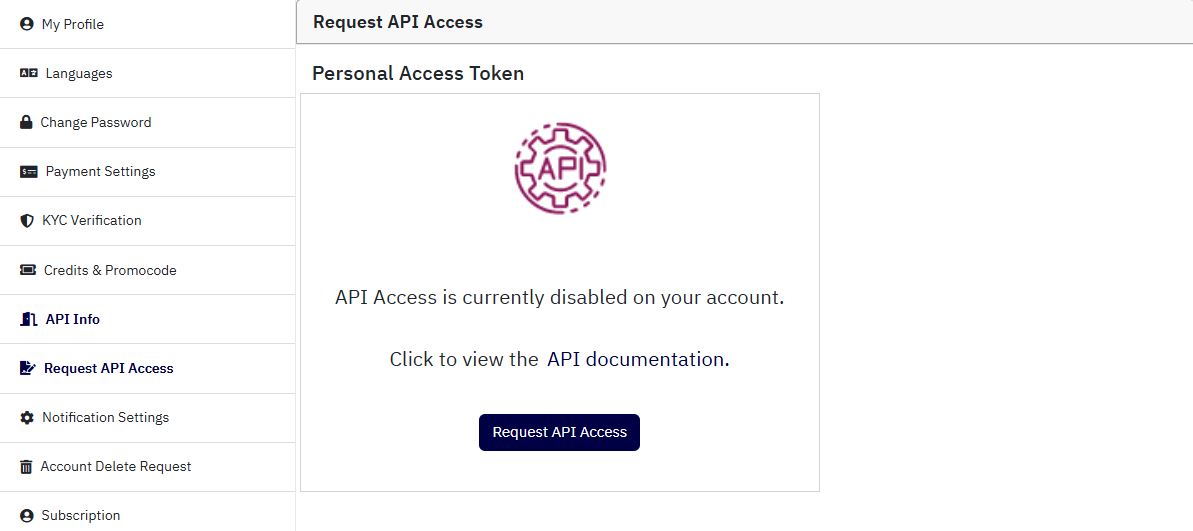
If API access is not yet enabled for your account, go to Request API Access to initiate access.
Requesting API Access
If API access has not been activated for your account, you will see a message:
“API Access is currently disabled on your account.”
1. To request access:
-
Click the Request API Access button.
-
This sends a request to your portal administrator or backend system for approval.
-
Once approved, the API Info tab will display your credentials.
-
Additionally, users are encouraged to click on the documentation link to view complete API specifications, including endpoints, authentication methods, and supported actions.
Viewing API Credentials
Once access is granted, the Personal Access Token section will display the following:
-
API Key : A public key used to identify your API requests.
-
Secret Key : A private token used to authenticate and secure your API sessions.
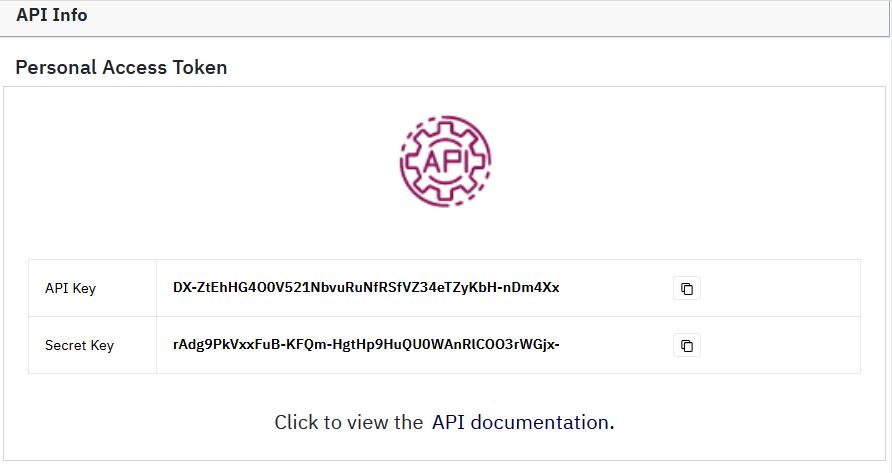
Important: Your secret key should be kept confidential. Do not share it in public repositories or unsecured environments.