Kubernetes Features
Kubernetes in StackBill CMP is an open-source container-orchestration system for automating deployment, scaling, and management of containerized applications. It has a large, rapidly growing ecosystem and the services, support, and tools are widely available. Kubernetes provides you with a framework to run distributed systems resiliently.
-
Using StackBill Cloud Management Portal, You can quickly launch the Kubernetes master, worker nodes and get started working with your Kubernetes cluster in a minute.
-
Kubernetes Dashboard offers you various functionality such as Resource Monitoring, Resize, Auto scaling, Load balancer, etc..,
-
The K8S dashboard in StackBill CMP will be helpful to users who are unfamiliar with Kubernetes.
K8S Summary in StackBill CMP
- The first page of your Kubernetes cluster is the Summary page.
- Stackbill CMP provides the overall view of your Kubernetes cluster.
- Detailed information about your plan, Kubernetes version, cluster IP, and more can be found on the details page l
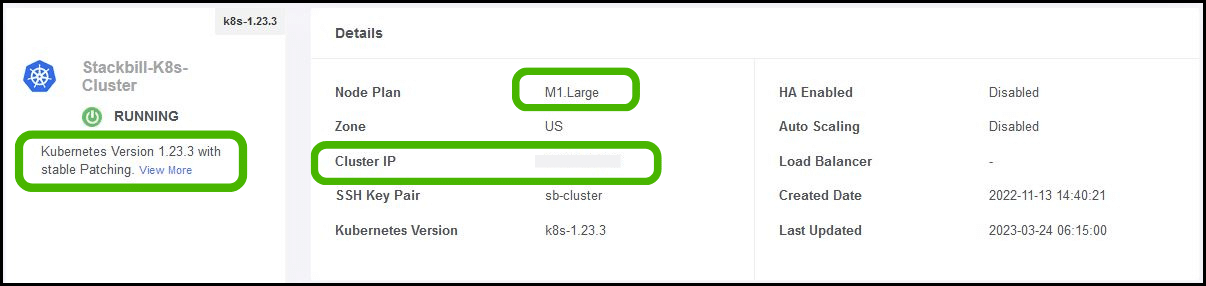
- It also displays number of nodes running in your Kubernetes cluster environment.

- You can also find the your cluster and nodes resource usage under utilization section.
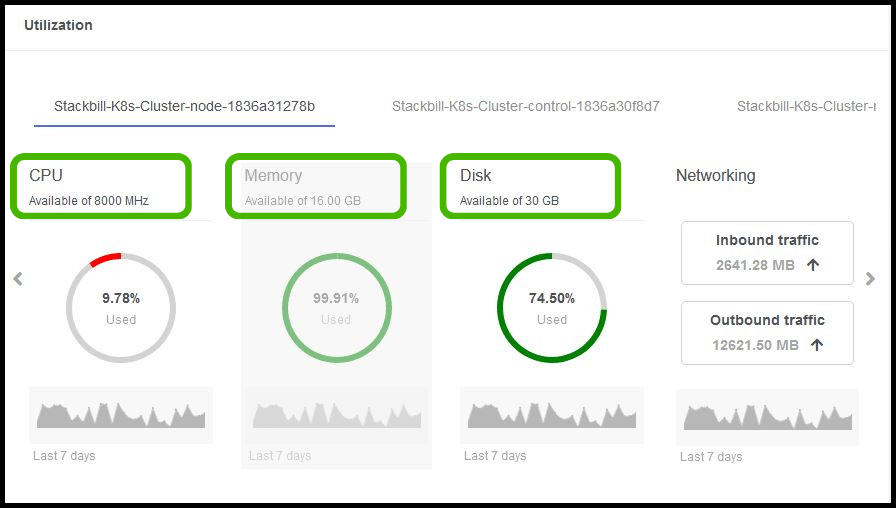
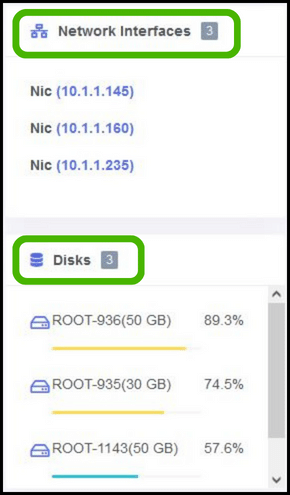
- Summary page will also displays the total number of disks and network interfaces that are attached with cluster and nodes.
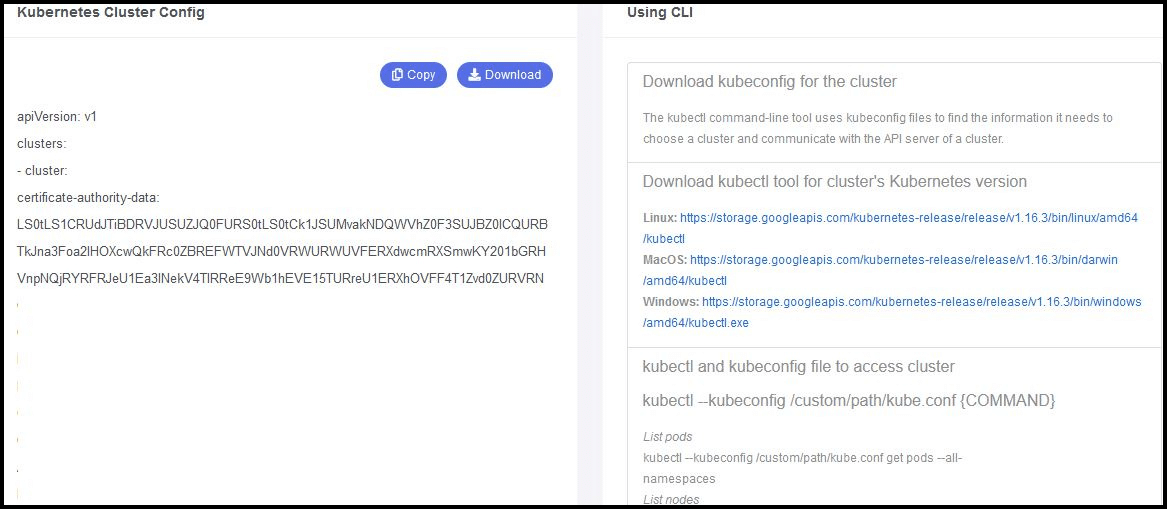
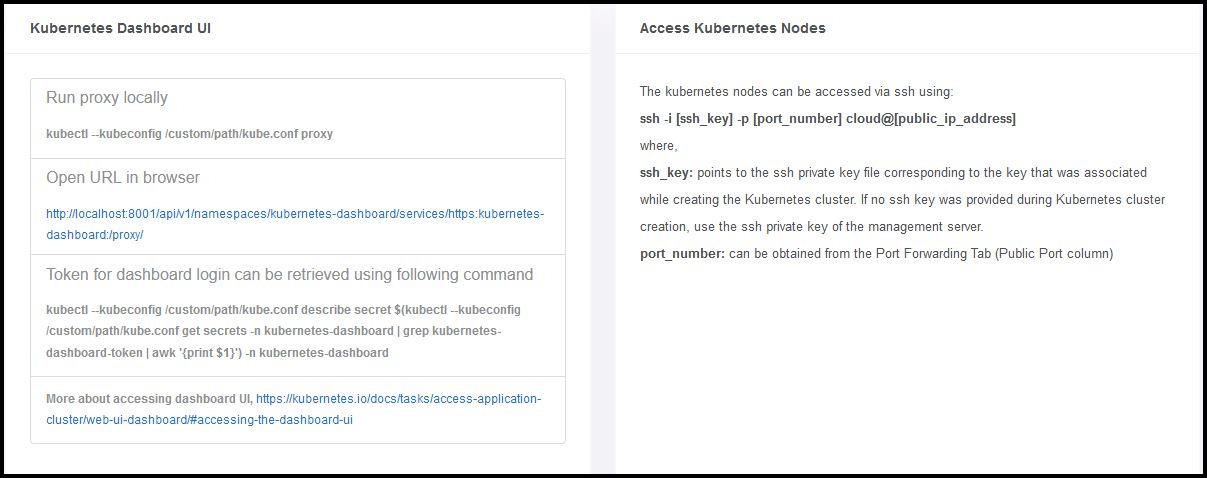
- It also displays the detailed instruction to connect your Kubernetes cluster from the command line interface.
- Finally, we can find the instructions to access the Kubernetes dashboard UI information.
Resources in K8S
-
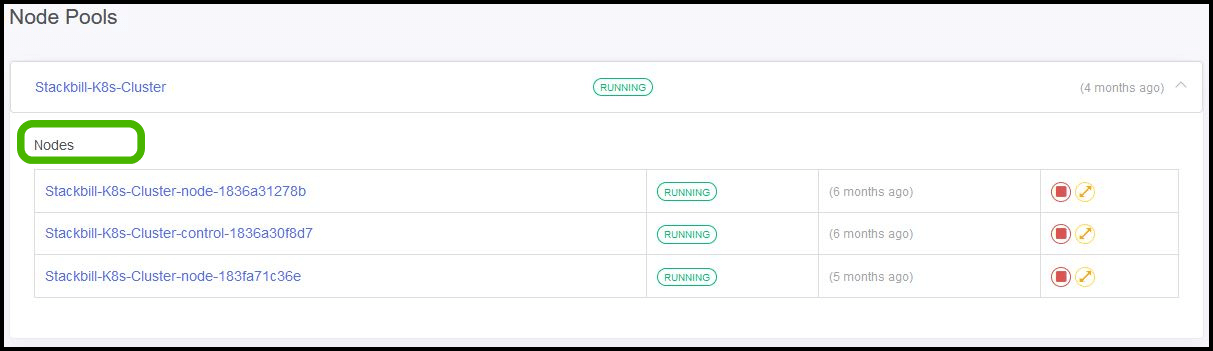
Resource tab contains two section. They are: Node pools & Storage
-
Node pools will display the number of nodes and cluster(s) that are available in your Kubernetes environment.
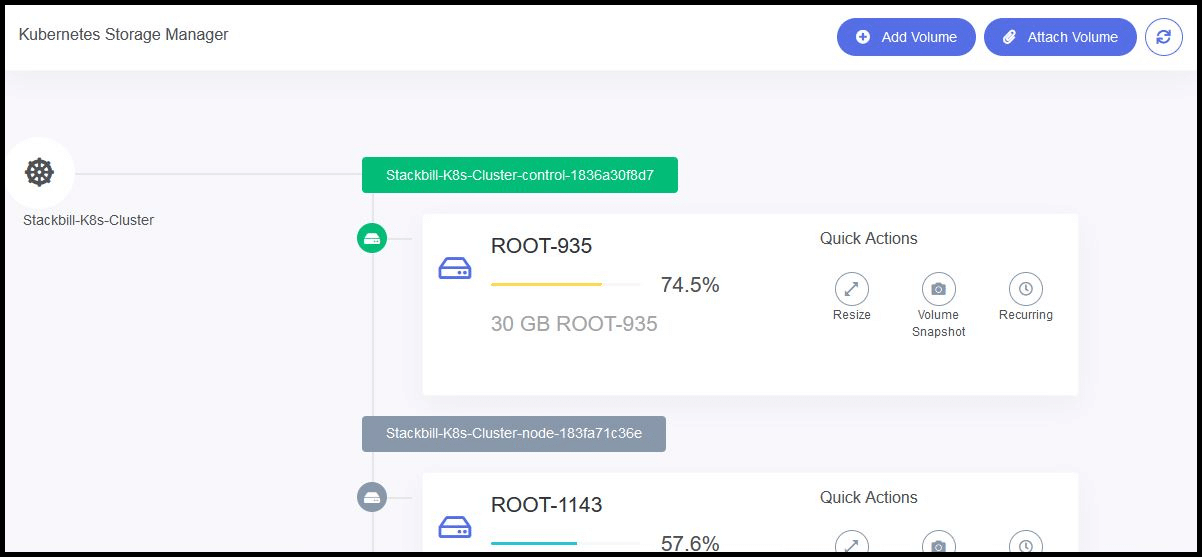
- Storage section will display list of available disk in your cluster nodes. Also it will provide the option to attach a new data disk (or) resize your existing root disk for your cluster nodes.
Networking
-
Kubernetes dashboard will also provide you the detailed information about your cluster networking.
-
This section contains four sub-categories, they are: Network, Firewall, Port forwarding & Load Balancer.
-
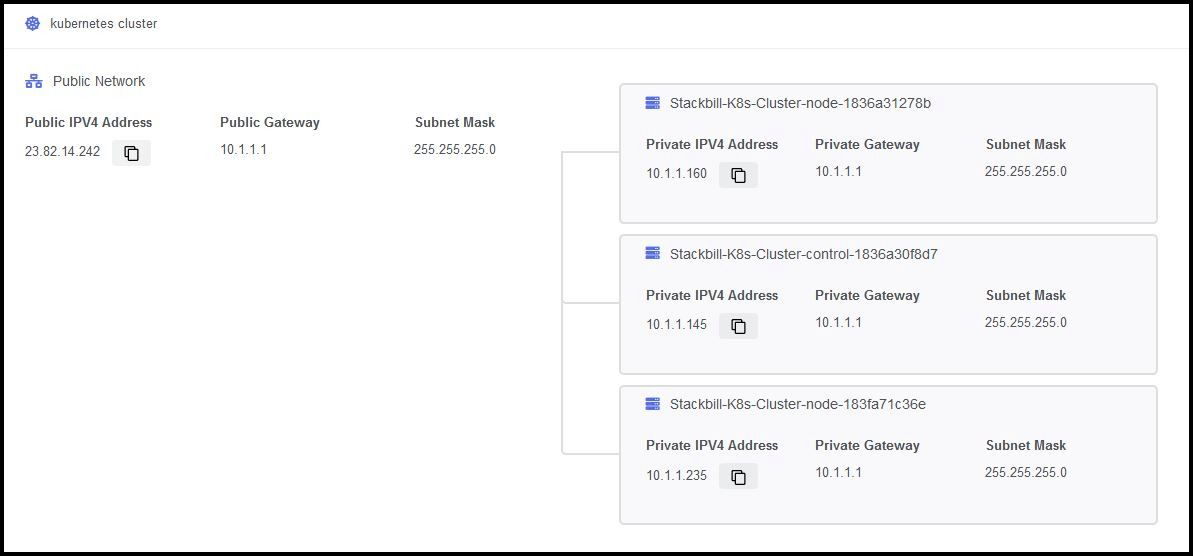
Network category will show you the all available networking which are attached with your cluster and its nodes.
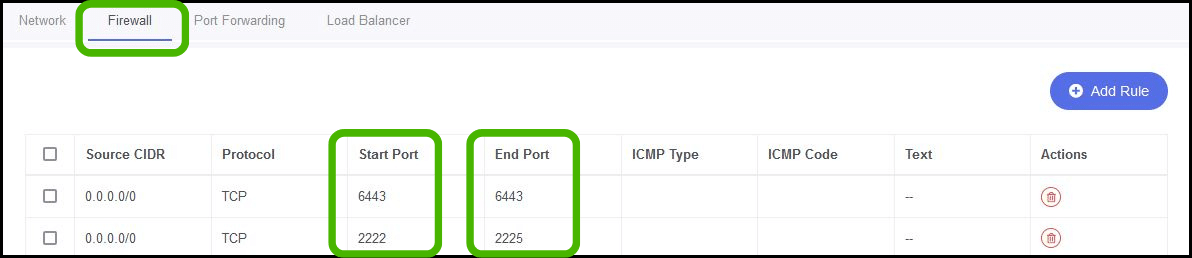
- Firewall tab will display list of ports which are opened for your cluster public IP. Also, you can add your custom ports that required for your applications.
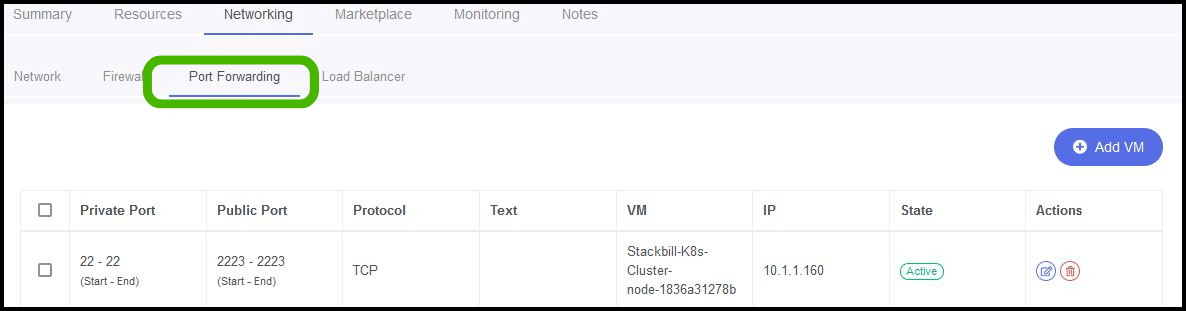
- You can configure port forwarding to allow external traffic to reach your virtual machines (VMs) by forwarding specific ports to the VMs.
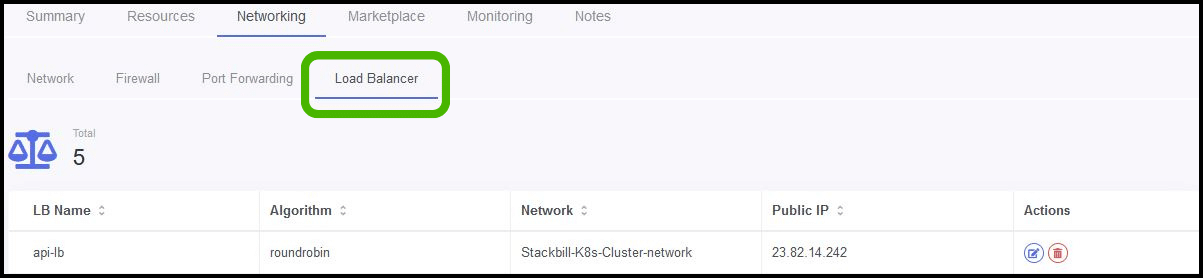
- A load balancer is a device or software that distributes network traffic across multiple servers or virtual machines (VMs) to ensure that no single machine is overloaded with traffic. You can use the built-in load balancing feature to distribute traffic to multiple VMs.
Marketplace
- Currently we are working towards Kubernetes marketplace apps for customer featured applications.
Monitoring
- Stackbill working towards integrating stackwatch.io as official monitoring service for the virtual resource. Once the integration is completed, we will share more information on this.